

Features & how it works
Everything you save, in one place you can search.
How saving, organising, searching and asking work in RYMVI — including what needs a connection, what AI can and can’t see, and what it costs.
Saving
Share into RYMVI from other apps
Use your phone’s Share button in Instagram, TikTok, YouTube, a browser, Photos, Files and most other apps, and choose RYMVI. You can share:
- Links — social posts, videos and web pages
- Photos — several at once become one memory (up to ten photos)
- Videos from your camera roll
- Documents — PDF, Word, Excel, PowerPoint, CSV, TXT and RTF
If something in a shared batch can’t be saved, RYMVI tells you which item and why — it never drops it silently.
Add things yourself
Write a note (an Idea), paste a link, take a photo, pick from your library, or attach a file. You can add a personal note and, if you choose, a location to any memory.
Organising
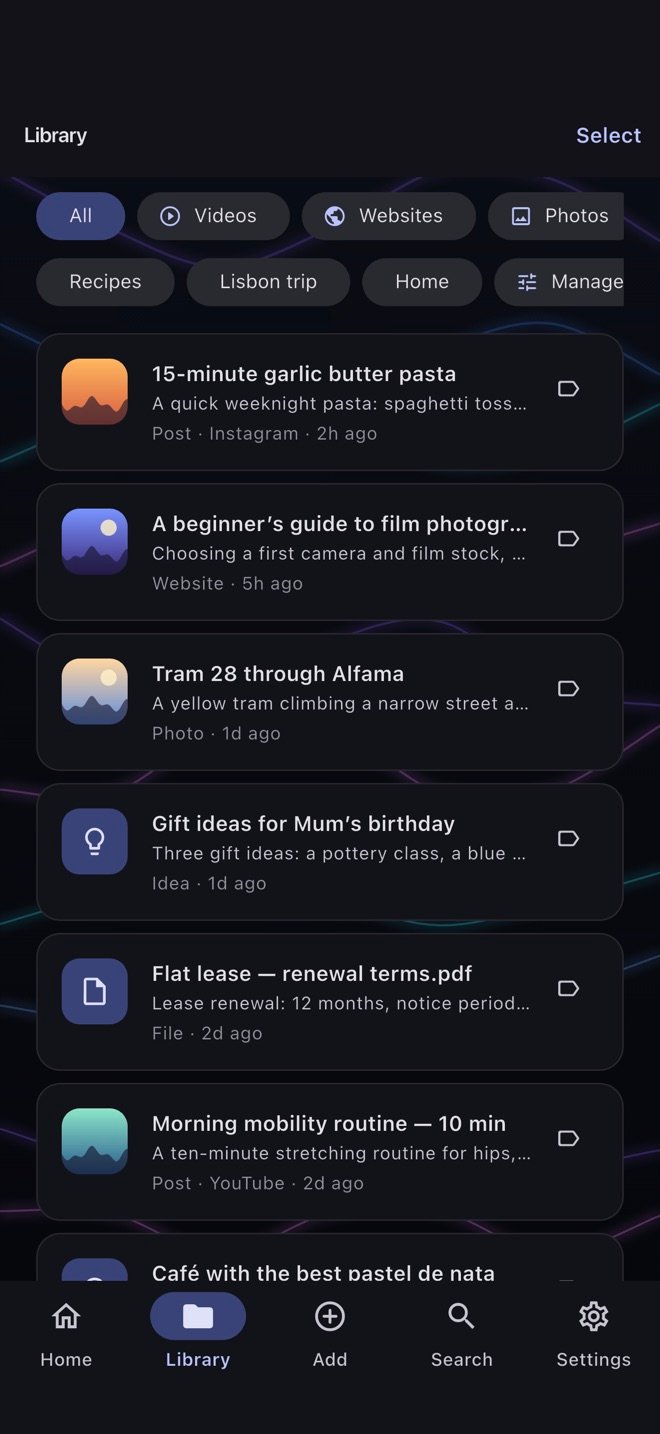
Filed automatically by type
Every memory has a type: Posts (anything from Instagram, TikTok, YouTube, Facebook or X — photo or video), Videos (your own videos), Photos, Websites, Apps, Places, Ideas and Files.
Plus your own categories
Create categories that match how you think — “Recipes”, “Holiday 2027”, “Work” — and put a memory in as many as you like. AI never moves things between your categories.
Deleted memories go to Recently Deleted for 30 days, so a mistake can be undone.
Finding
Search
Search by words across titles, notes, captions, summaries and tags — this works offline. With AI allowed and a connection, RYMVI can also search by meaning, so “the pasta video” finds a memory that never uses the word pasta.
Ask About Memory
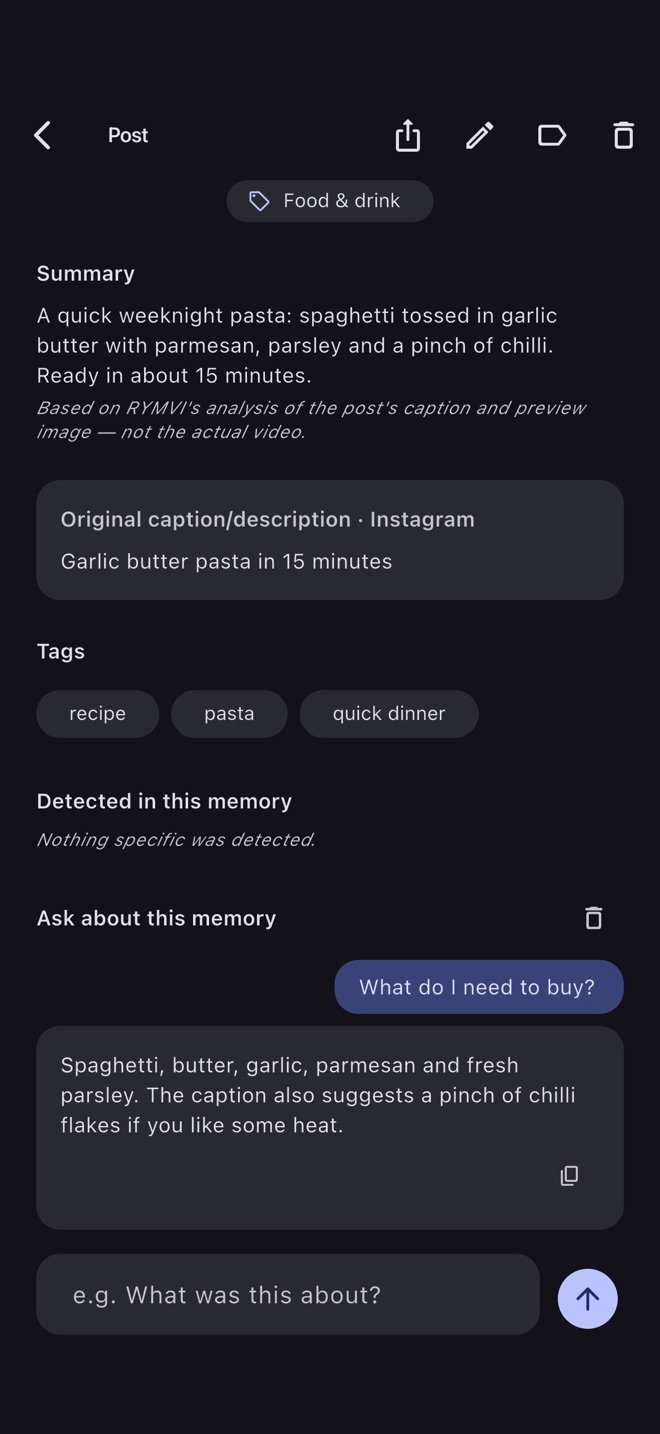
Open a memory and ask about it — “what were the ingredients?”, “where was this filmed?”. To answer, RYMVI also looks at a few of your related memories, and the answer points back to the ones it used. You can optionally let it search the web for extra context, which costs more credits.
Offline and online
| Works offline | Needs a connection |
|---|---|
| Saving anything — shares, photos, videos, notes, files | AI analysis (summaries, tags, video description) |
| Opening, viewing and playing what’s already on your phone | Ask About Memory |
| Organising, categories, editing, deleting | Searching by meaning |
| Searching by words | Link previews (title, description, image of a link) |
| Exporting a backup | RYMVI Cloud sync and restore |
Things you save offline are kept on your phone straight away. Analysis and syncing happen when you’re back online and open RYMVI.
AI analysis
AI features only run after you allow them in the app, and you can withdraw that permission at any time. Each analysis uses credits from your plan; RYMVI shows the cost before anything expensive, such as a video, is analysed.
Social posts vs. an actual video
Instagram, TikTok, YouTube, Facebook and X generally don’t let other apps download the video itself. For a saved link, RYMVI analyses what the platform makes public: the caption or title and the preview image. It doesn’t watch or listen to the video, and the memory says when only a preview was available.
A video from your camera roll — or one you attach to a saved post — is analysed as a real video: what’s shown and what’s said. Videos can be up to 3 minutes and 200 MB. You see the price, based on its length, and confirm first.
What each analysis costs
| Action | Credits |
|---|---|
| A note, web page or other text memory | 1 |
| A saved social post (caption, plus its preview image when available) | 1–3 |
| A photo memory | 2 per photo |
| A video up to 30 seconds | 16 |
| A video up to 1 minute | 19 |
| A video up to 2 minutes | 24 |
| A video up to 3 minutes | 30 |
| Ask About Memory | 1 |
| Ask About Memory with web search (up to two searches, 11 each) | 12–23 |
If an analysis fails, you aren’t charged for it. See Pricing for how many credits each plan includes.
Backup & moving devices
Export some or all of your memories to a .rymvi backup file — including your categories and the photos, videos and files they need — and import it on another phone. You choose where the file goes.
On plans with RYMVI Cloud storage, Cloud Sync keeps your phones in step automatically. Individual files up to 2 GB are backed up. RYMVI Cloud is being introduced gradually, so it may not be available to you yet.
Location, only when you ask
Add your current location to a memory only when you tap to do so, or type an address. RYMVI never tracks your location in the background.
Questions about a feature?
The help centre covers sharing, credits, sync, encryption and more.